Code Review Scheduling Instructions#
To schedule a code review, you must use the Booking URL
that will be provided on Canvas. When clicking on the Booking
URL, you may be asked to log in; make sure you do so with your
UChicago e-mail address (CNETID@uchicago.edu).
Please note that, while both members of the team must attend each code review, only one team member should book the appointment (you will be able to specify who your project partner is when making an appointment).
On the booking page, you will be able to choose a TA to make an appointment with:
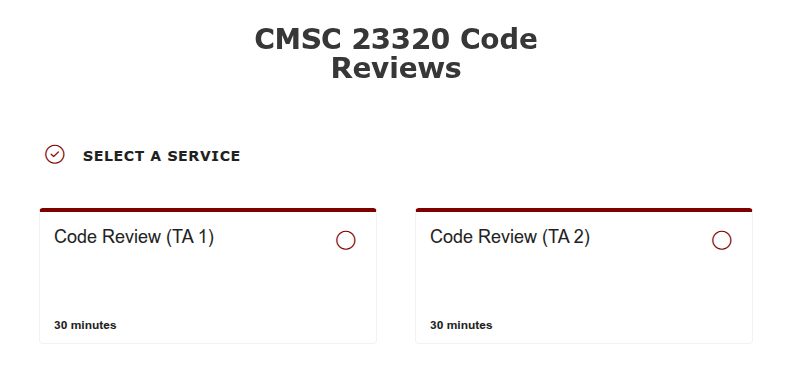
You must select the TA you have been assigned to
(you can find this information in the code-review.txt
file we have pushed to your team repository).
Once you click on a specific TA, you will be able to select a specific time and date:
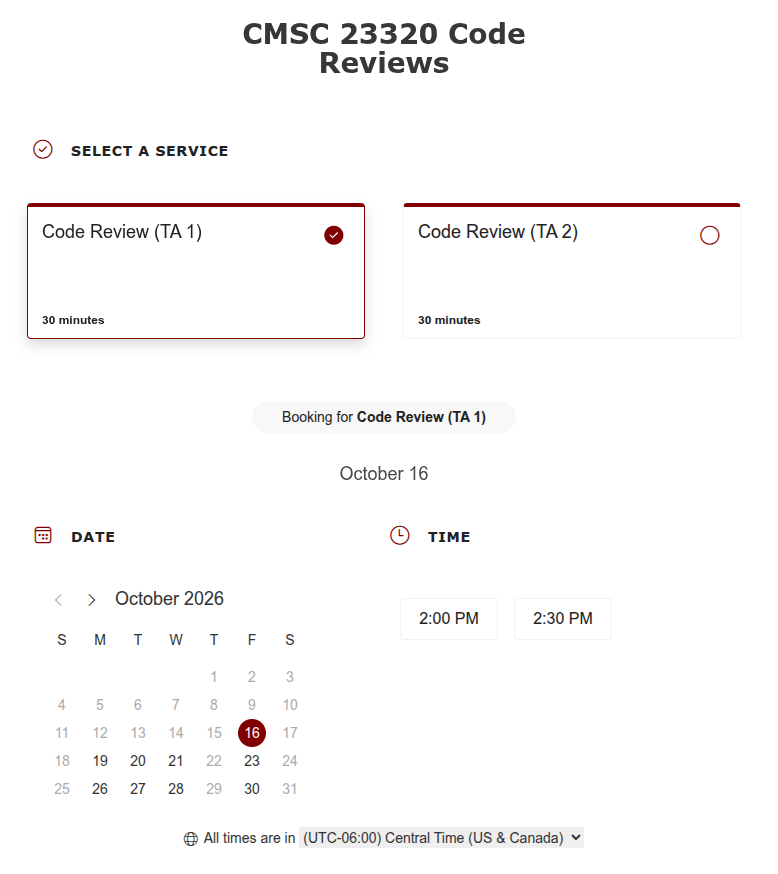
Please note that you must book appointments at least 24 hours in advance. If none of the times work for you, please reach out to your TA to find an alternate time.
Next, you will add a number of details:
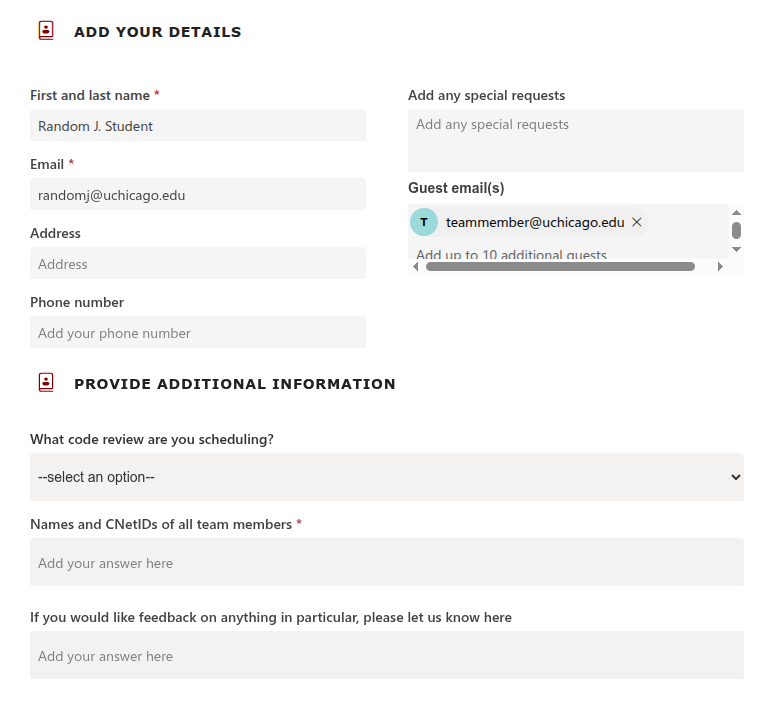
Please make sure to enter the following information:
First and last name.
Email: Enter your UChicago e-mail address (
CNETID@uchicago.edu).Guest email(s): Enter the UChicago e-mail address of your project partner (
CNETID@uchicago.edu).You do not need to enter an Address or Phone Number.
Under “Provide Additional Information”, you must select the specific code review you are signing up for, and enter the names and CNetIDs of all the team members. There is also an optional field where you can specify whether you want feedback on anything in particular.